
winmail.dat 구조대
Outlook 메일의 winmail.dat 안에 갇힌 첨부파일을 꺼내세요. 서버 전송 없이 개별 파일·ZIP으로 저장합니다.
Recover an attachment from winmail.dat
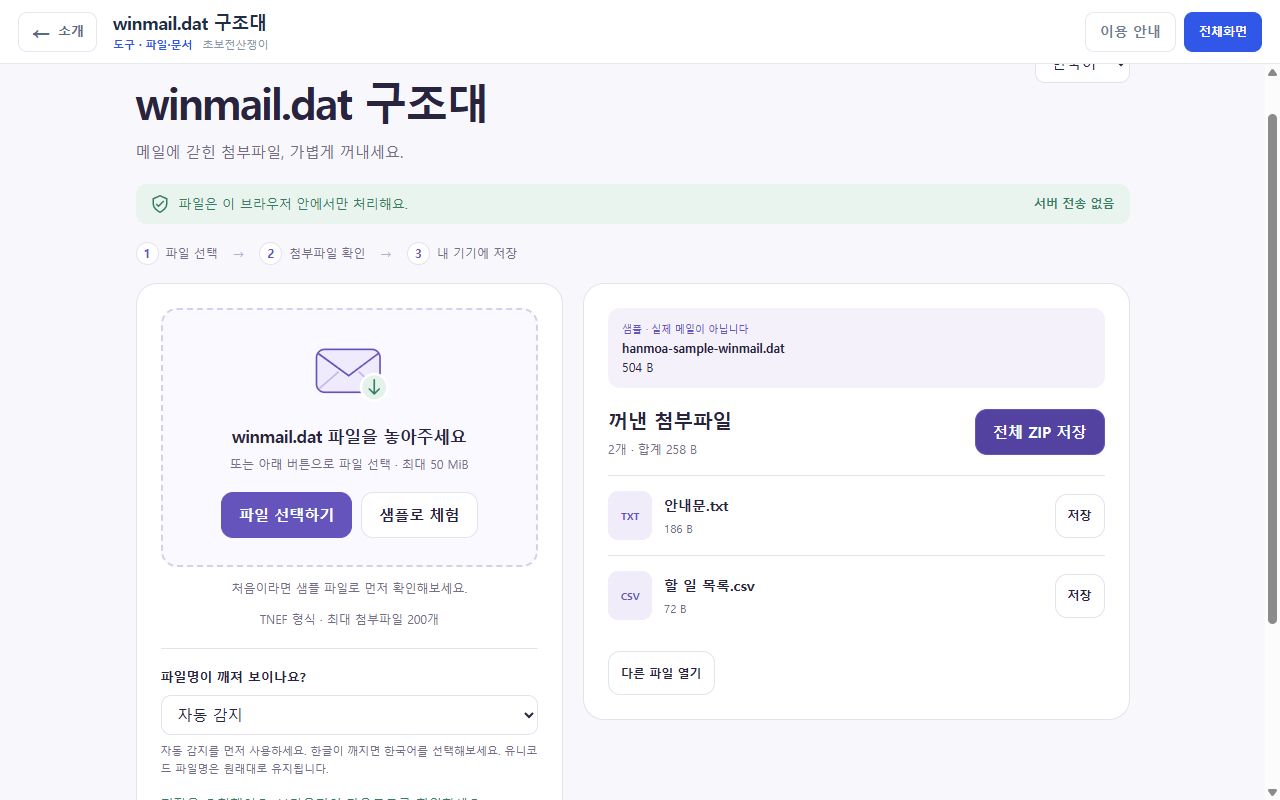
If a message contains winmail.dat instead of the document you expected, ordinary attachments may be inside Outlook’s TNEF format. Inspect the names and sizes, then save the attachments you need.
- Extract ordinary TNEF attachments
- Up to 50MiB · 200 attachments
- Individual files or ZIP download
From the first step to a saved result
Save the email attachment
Save winmail.dat to your device and check who sent it. Try the built-in sample first if you are unfamiliar with the format.
Inspect the file list
Choose or drop the file. Review the extracted names and sizes. For broken legacy Korean filenames, try the Korean (CP949) encoding option.
Download the attachments
Save individual files or a ZIP bundle. The tool does not execute or preview attachments; check their source and type before opening them yourself.
Try extraction without a real email
Know before you use it
- Rich-text bodies, calendar/contact conversion, embedded Outlook messages and OLE objects are not supported.
- Encrypted or damaged inputs may not be extractable. A TNEF file may also contain no ordinary attachments.
- Successful extraction does not prove a file is safe. Do not open executables from unknown sources.
Frequently asked questions
Why are no attachments listed?
The input may have no ordinary attachments, or contain only unsupported objects. Ask the sender to resend the document as a normal attachment.
Do I need to sign in to my email account?
No. The tool reads a file already saved on your device. It does not need an email connection or password.
Are attachments opened automatically?
No. The tool lists names and sizes and offers downloads. Check the sender and file type before opening a download.
Guide reviewed by Hanmoa ·